

Speechify for PC
Convert Text to Voice with AI. Read Aloud Books, Docs & PDFSpeechify PC Details
| Category | Productivity |
| Author | |
| Version |
Speechify for PC Screenshots
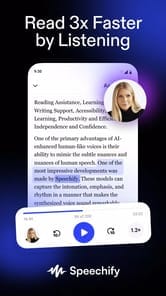


Turn Your Reading into Listening with Speechify
Have you ever wished you could listen to a book, a document, or a website? Speechify is a wonderful tool that makes this possible. It reads text out loud for you. This can change the way you work, study, and enjoy stories. It is designed to be helpful for everyone, especially those who find reading difficult.
Speechify works in many places. You can use it on your phone, your computer, and even as an extension in your web browser. This means your reading can go with you, wherever you are. It’s a real game-changer for accessing written information in a new way.
Listen to Almost Anything
So Many Ways to Read
One of the best things about Speechify is how much it can read. You can give it a website address, and it will read the page for you. You can also upload different kinds of documents, like PDFs from a professor or scans of a book. If you have a physical book, you can take a photo of the page, and Speechify will turn it into audio. It even lets you copy and paste or type text directly into it.
A Tool for Better Learning
Speechify is fantastic for school and studying. It highlights words as it reads them aloud. This can help you understand the material better and read along at a faster speed. It’s perfect for turning your class notes or textbook pages into audio files. You can then listen to them later to help you study.
Personalize Your Listening Experience
Voices That Sound Like People
Speechify offers a wide range of voices to choose from. Many of them sound like a real person is talking to you, which makes listening very pleasant. You can also change how fast the voice reads. This lets you set a pace that is perfect for you, whether you want to listen slowly or speed things up.
Features for Accessibility
This tool is built to help everyone read. For those with dyslexia, it offers special tools that can make a big difference. This includes a special font designed to make letters easier to read. This focus on accessibility helps more people enjoy and understand written content.
Getting Started with Speechify
It is easy to begin using Speechify. When you start, a helpful tutorial guides you through the process. There is a free version available, so you can try it out. For more features, like celebrity voices and the most advanced, human-sounding voices, there is a premium subscription. This allows you to choose the plan that works best for your needs.
Frequently Asked Questions
What can Speechify read for me?
Speechify can read many things! This includes websites, PDFs, documents you upload, text you type or paste, and even photos of pages from physical books.
Can I change how fast it reads?
Yes, you can easily adjust the speed of the voices. You can make it faster or slower to match your own listening style.
Is Speechify helpful for students?
Absolutely. It can read school documents, textbooks, and notes out loud. The feature that highlights text as it reads is also great for helping with comprehension and study.
How to Install Speechify on PC
Below instructions allows you to download and install Speechify app on Windows or MAC computer using an Android emulator. The process involves:
Download APK:Downloading the Speechify APK file by choosing a version.
Install Android Emulator:There are a number of Android emulators the internet. Choose a emulator that works better with your PC. Now, download and install the Android emulator software.
Run the Emulator:Open the emulator you have just installed and configure the settings such as display, keywords, mouse etc.
Install Gene:Open the downloaded Speechify APK file using the emulator, which will install Speechify on Windows or MAC.